
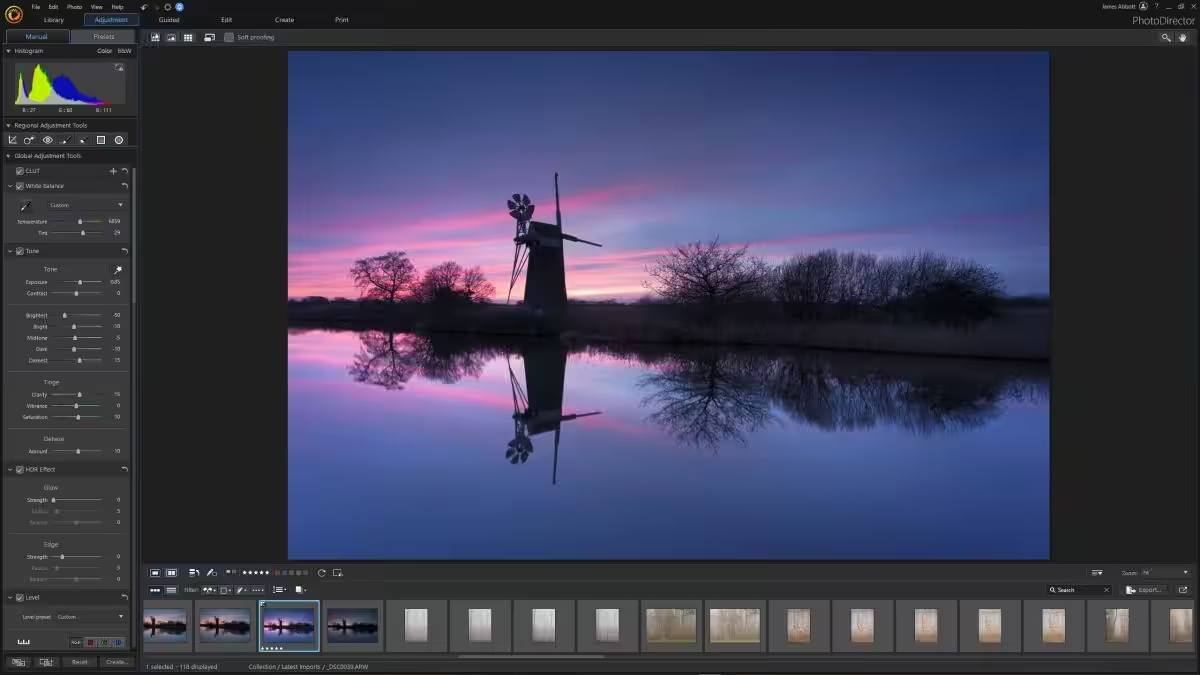
CyberLink PhotoDirector Ultra is an award-winning, professional photo editing and graphic design suite that seamlessly blends robust RAW image processing with next-generation AI automation. Managing multi-layered visual workflows can be incredibly time-consuming. PhotoDirector Ultra solves this bottleneck completely, pairing traditional layer-based design structures with intuitive machine-learning tools that handle complex tasks—like object removal, sky replacement, and face retouching—in a single click.
Features
- Advanced Layer-Based Graphic Design: Build complex visual compositions using a versatile layer framework that supports custom blending modes, masking, text styling, and non-destructive vector shape tools.
- Next-Gen AI Generative Fill & Expansion: Effortlessly extend the borders of any landscape or crop layout using contextual local AI models that naturally patch and synthesize new background details.
- One-Click AI Sky & Background Replacement: Instantly switch out dull or washed-out horizons with a dynamic library of dramatic skies, perfectly adjusting the global lighting and color tones of your original foreground subjects.
- Precision AI Object Removal & Restoration: Brush over distracting background items, photobombers, or surface blemishes to cleanly erase them, automatically healing the underlying textures with pixel-perfect accuracy.
- Flawless AI Portrait Retouching: Achieve studio-grade facial enhancements using targeted tools for skin smoothing, blemish correction, face reshaping, eye enlargement, and realistic digital makeup applications.
- Comprehensive RAW & Lens Profile Support: Decodes RAW image formats from all major professional camera manufacturers, applying automated lens correction profiles to eliminate barrel distortion and chromatic aberration.


not even a single AI tool working, only global tools working, has any 1 using AI tools in this cracked version?
Hi
Tools below are not functioning under Guided tab
1. Under Photo Effects: AI Style Transfer, Sky Replacement, Focus, Style.
2. Improve/Remove: Denoise, Deblur, Content Aware Removal.
Could you Please have a check.
Hi,
Certain tools in Guided Tab are not working, below is the list:
1. Under Photo Effects: AI Style Transfer, Sky Replacement, Focus, Style.
2. Improve/Remove: Denoise, Deblur, Content Aware Removal.
Please have a check.